T20 Exchange Login
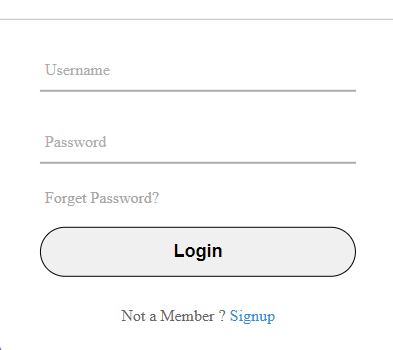
Sign in with the username and password you received on WhatsApp. Use the panel above on any phone or laptop; the same details work on the Android app. If anything in the panel does not work for you, this page explains every login situation we see at support.
How to log in to T20 Exchange
- Open t20exchange.in and find the login panel at the top of the page.
- Type your username exactly as it was sent to you. It is case-sensitive.
- Enter your password and tap Login.
- First time in? You will be asked to set a new password. Pick one you do not use anywhere else.
After that you land on your dashboard with your balance, open bets, and the live match list.
Login problems and quick fixes
- “Invalid username or password”. Check for extra spaces, caps lock, and the letter O versus the number 0. If it still fails, tap “Login problem?” and we will reset it.
- Account locked. Five wrong attempts lock the ID for your safety. Message support with your username to unlock it.
- Page keeps reloading. Clear your browser cache or try a private window. On the app, update to the latest version from our download page.
- Lost phone or number changed. Contact support from your new number and be ready to answer a couple of verification questions.
Keeping your T20 Exchange ID safe
Your ID is tied to your money, so treat it like a bank login. Never share your password, even with someone claiming to be from our team; we will never ask for it. Log out on shared devices, change your password every few months, and only use the official address t20exchange.in. Several look-alike websites copy our name and ask for your details. If you are unsure, check the address bar before typing anything. More on account security is in the T20 Exchange ID guide.
Don’t have an ID yet?
Tap the green Get your T20 Exchange ID button in the panel or follow the sign-up steps. New IDs are created on WhatsApp, normally within ten minutes, and there is no joining fee. If you want to understand what an ID gives you before you ask for one, start with the online cricket ID guide.
Login questions we get every day
Can I log in on more than one device?
Yes. Your ID works on the app and on any browser at the same time. For security, we recommend logging out of devices you no longer use.
Is there a separate login for the casino?
No. One ID covers cricket betting and the live casino. Switch between them from the menu after you sign in.
What are support hours?
WhatsApp support runs 24 hours a day, including match days and weekends. Details are on the contact page.
18+ only. Play responsibly. If you need to pause, set a deposit limit, or close your account, message support and we will do it the same day.